

This item:
DJI O4 Ground Station
AED19,999.00
Quantity
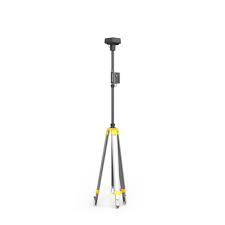
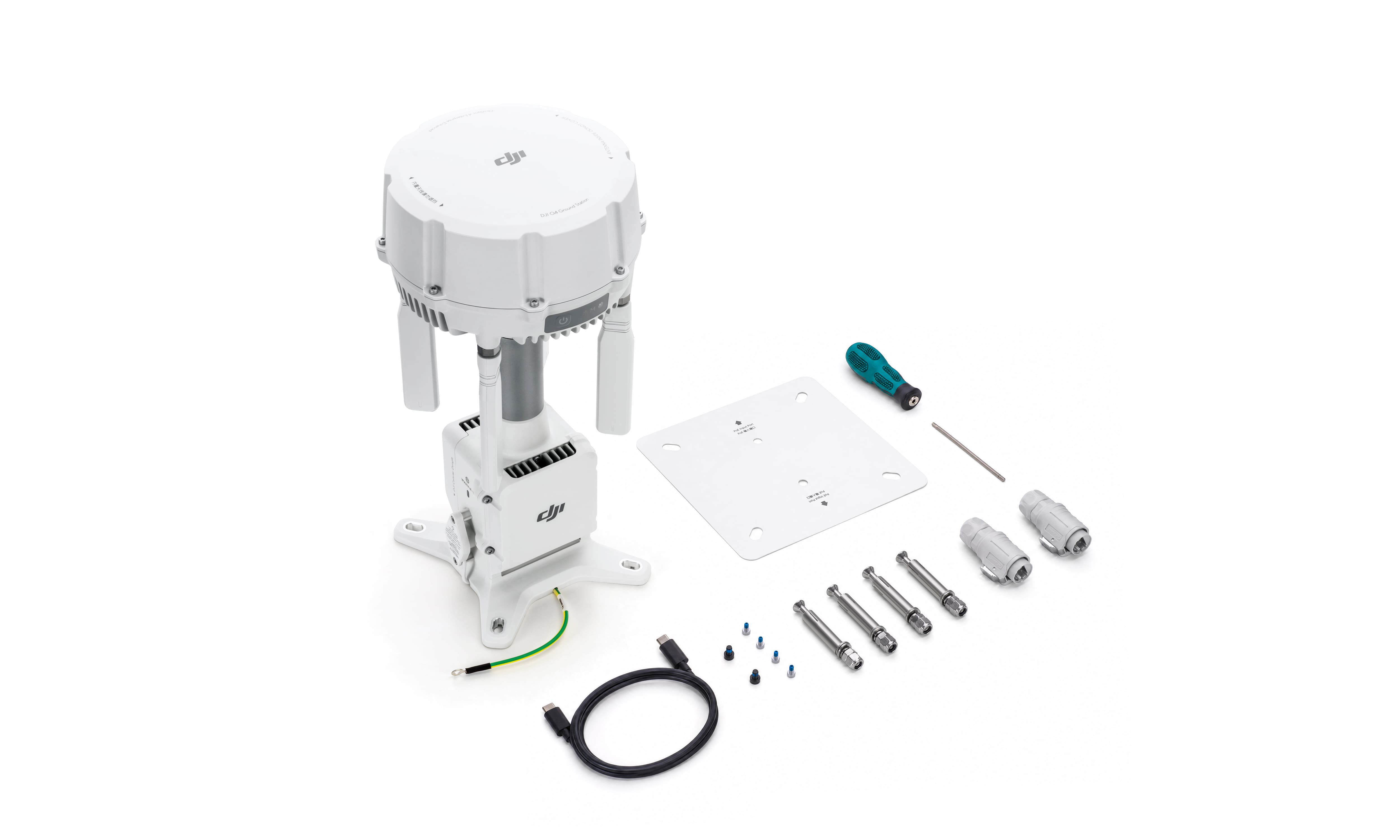
The DJI O4 Ground Station is a fixed transmission base station for OcuSync 4 enterprise operations. It sits between the aircraft and the control room and holds the video link together across distance, terrain and crowded RF conditions that would otherwise break it.
Most sites that struggle with drone connectivity have the same underlying problem. The asset is spread out, the airspace is electrically noisy, or the crew is working well past the reach of a single dock. The O4 Ground Station is the piece of hardware that closes that gap, and it does it in one of two ways depending on how the site is set up.
Note :- In order for transfer of ownership of drones to customers, the customer is required to create an account with the Ministry of Industry and Advanced Technology (MOIAT). To create an account, please visit: sso.moiat.gov.ae
UAE: 1–2 business days
International Shipping: 7–10 business days
Available on Request
Support Included
All quantities start from 1. Nothing is selected by default. Select the items you want and adjust each quantity independently for DJI O4 Ground Station.
The DJI O4 Ground Station is a fixed transmission base station for OcuSync 4 enterprise operations. It sits between the aircraft and the control room and holds the video link together across distance, terrain and crowded RF conditions that would otherwise break it.
Most sites that struggle with drone connectivity have the same underlying problem. The asset is spread out, the airspace is electrically noisy, or the crew is working well past the reach of a single dock. The O4 Ground Station is the piece of hardware that closes that gap, and it does it in one of two ways depending on how the site is set up.
In Gateway Mode it connects straight into DJI FlightHub 2 over Ethernet or a cellular dongle, so it no longer has to be positioned close to a DJI Dock 3. In Relay Mode it needs no internet connection at all: you put it at a high point and it carries the link into valleys, behind buildings and across ground the signal could not otherwise reach.
It is built to be installed once and left alone. IP67 sealing, fanless passive cooling, lightning protection to EN/IEC 61643-21 Category C, a backup battery that carries it through a power cut, and a self-recovery routine that brings it back online without anyone driving out to the site.
Key points at a glance
The RF unit pushes signal further into dense urban obstruction, and an improved signal-to-noise ratio pulls usable video back out of environments where a weaker receiver would simply drop the link.
• Four external directional and eight internal directional antennas
• Horizontal and vertical polarisation for full 360 degree coverage
• Holds the link regardless of how the aircraft is oriented in flight
• External antennas use standard reverse polarity SMA connectors, so third-party antennas can be fitted
The station moves between sub-2G, 2.4 GHz, 5.2 GHz and 5.8 GHz on its own as conditions change, which matters on sites where a fixed-band system spends half its time fighting interference. Sub-2G support and automatic multi-band switching are available with the Matrice 400 and are restricted in some countries, so check what applies locally.
• Tracks 19 frequencies across GPS, BeiDou, Galileo, GLONASS, QZSS and L-Band
• Provides RTK reference data to connected aircraft in both modes once position calibration is done
• Acquires satellites quickly in urban canyons and under canopy
• Standby draw as low as 7 W when no aircraft is connected
• Built-in backup battery runs the station for around 45 minutes in Gateway Mode and 30 minutes in Relay Mode after a PoE outage
• Restarts automatically once PoE power returns
The 7 W figure is the station on its own. Total draw at the wall is higher once the PoE supply itself is counted.
• IP67 rated enclosure
• Operating range of -40 C to 55 C
• Lightning protection meeting EN/IEC 61643-21 Category C
• Fanless passive cooling, so there is nothing to service
• Automatic self-recovery after power interruption or software fault
• Up to four IP cameras over ONVIF or GB/T 28181, streamed into FlightHub 2 alongside the aircraft feed
• Remote PTZ control of connected cameras from FlightHub 2 where the camera supports it
• Camera alerts such as motion or occlusion pushed through FlightHub 2
• MQTT-based ESDK 2.0 and Cloud API for third-party development
• Connects to third-party ADS-B or Remote ID receivers for airspace awareness
The two modes solve different problems. Picking the wrong one is the most common reason a deployment underperforms, so it is worth being clear about the difference before you order.
Switching between the two takes seconds. Press the power button three times, or connect an Android phone over USB-C and switch in the DJI Enterprise app, or use DJI Assistant 2 from a PC.
Relay Mode depends on 5 GHz availability and is not offered in every country. Confirm the position for your operating region before you build it into a deployment plan.
Ranges are measured outdoors, unobstructed and free of interference, and describe one-way non-return flights. Figures change with the regulatory standard in force, and permitted frequencies and output power vary by country.
The station is PoE powered, either from the DJI Dock 3 PoE output port or from a third-party supply. The PoE class you choose sets the temperature range you can actually operate across.
Non-standard PoE and Type 1 supplies will not run the station, and the indicator shows solid red if an unsupported supply is connected. For UAE installations Type 4 is the sensible default: it covers the full temperature range and leaves headroom.
• Gigabit PoE switch recommended, providing both network and power on one cable
• Minimum 100 Mbps bandwidth
• Dedicated network recommended if IP cameras are deployed alongside, to keep latency down
• Maximum 100 m of cable between the station and the switch
• No distance restriction between the station and DJI Dock 3 in Gateway Mode
• Terminate both ends of the Ethernet run in T568B order
The IP67 rating only holds if the installation is done properly. Four things matter:
1. Use the supplied cable connector, including the corrugated tubing and plug, where the Ethernet cable enters the unit.
2. Use Cat 6 or higher outdoor rated waterproof twisted pair with an outer diameter between 5.5 mm and 6.5 mm, and form a drip loop before the cable reaches the port.
3. Fit all rubber port covers, and the DJI Cellular Dongle 2 heat sink if one is installed.
4. Fully tighten the screws on any unused WAN or LAN port.
The rating is measured in controlled conditions and degrades with wear, so treat it as a design target rather than a permanent guarantee.
• Use a 13 mm open-ended wrench to fit or remove the external directional antennas
• Recommended tightening torque is 15 kgf-cm, which is 1.4 N-m
• Third-party antennas can be fitted provided they use a compatible standard SMA connector
5. Connect the station to an Android phone with the supplied USB-C cable and activate it in the DJI Enterprise app.
6. Choose the operating mode: three presses of the power button, the DJI Enterprise app, or DJI Assistant 2 on a PC.
7. Select the site. In Gateway Mode use the Signal Map in FlightHub 2 after a flight to find weak coverage zones. In Relay Mode survey the intended position with a Matrice 4D Series aircraft and remote controller following the DJI Pilot 2 prompts.
8. Mount the station at height, fit the antennas, and complete the cable and PoE work to the IP67 requirements above.
9. Run the network test inside the DJI Enterprise app, then validate operation from FlightHub 2 or your chosen cloud platform.
Expect roughly ten extra seconds of pre-flight preparation once the station is selected as the relay, because the system pre-loads linking data before take-off.
Compatibility differs between the two modes, and this is where most specification errors happen. Gateway Mode is narrower than people assume.
The Matrice 400 is supported in Relay Mode only. Tell us what is in your fleet and we will confirm the pairing in writing before anything is ordered.
• Gateway Mode: replacing the DJI Dock 3 and its paired aircraft does not require re-linking
• Relay Mode: replacing the aircraft does not require re-linking, as it re-links automatically once paired with the dock
• Relay Mode: replacing the dock does require re-linking, which can be done through Remote Access by scanning for nearby stations
• Remote Access re-linking requires firmware V13.01.00.04 or later on the dock, aircraft and remote controller
One limitation worth knowing up front: an O4 Ground Station and a D-RTK 3 Relay Station cannot currently be used together within a single task on the same DJI Dock 3. DJI has said this is planned for a future firmware release. The O4 Ground Station also does not replace the base station or rover station functions of the D-RTK 3.
• DJI Cellular Dongle 2 for 4G connectivity in Gateway Mode, sold separately
• Gigabit PoE++ switch or injector rated for the site temperature
• Cat 6 or higher outdoor rated waterproof Ethernet cable
• Mounting pole or mast, with grounding for the lightning protection to do its job
• ONVIF or GB/T 28181 IP cameras with their own PoE supply, since the station does not power downstream devices
• Third-party ADS-B or Remote ID receiver if airspace awareness is required
Flare stack, tank farm and pipeline inspection across facilities where the perimeter runs to kilometres. Relay Mode is usually the answer on remote installations with no site network to lean on.
Transmission corridor patrols with the station mounted on a tower or high point to carry the link along the route rather than fighting for it from the ground.
Progress capture and volumetric survey on large plots, with RTK reference data feeding straight into the survey workflow.
Stockpile and yard monitoring, with fixed IP cameras streaming into the same FlightHub 2 view as the aircraft so the operator is not switching between systems.
Incident overwatch and search operations in areas where cellular coverage is unreliable or has been overloaded.
Pit surveys and haul road monitoring where terrain blocks any direct line of sight from the control point.
Scheduled autonomous patrols running unattended, with ADS-B or Remote ID feeds adding awareness of what else is in the airspace.
A ground station is not a box you unpack and switch on. Where it sits, how it is powered and which mode it runs in decide whether it earns its place. That part is where we spend our time.
• Site assessment before you commit, so the station is specified for the coverage you actually need
• Written confirmation of compatibility against your current fleet and mode
• PoE, switch and cabling specification for the installation
• Deployment and commissioning support, including FlightHub 2 configuration
• IP camera integration where a site needs fixed and aerial views in one platform
• In-house repair and service for enterprise drones and accessories
• Guidance on UAE operating approvals and the paperwork that comes with them
• Spare parts and accessories held locally for enterprise platforms
Ready to extend your drone coverage?
Send us the site, the fleet and the coverage you are trying to reach. We will confirm the right mode, the right PoE and network specification, and availability of the DJI O4 Ground Station in the UAE.
Enquire Now | WhatsApp +971 50 157 6093 | Call +971 4 223 8380
It is a fixed transmission base station for DJI OcuSync 4 enterprise operations. It extends video transmission and control coverage beyond what an aircraft, remote controller or dock can manage on its own, and it can also feed RTK reference data and IP camera streams into the same platform.